Smart Tutor for SAMSUNG Mobile
Samsung Electronics Co., Ltd.
Downloads
100,000,000+
Source
Google Play
Click to download now, finish the installation quickly, and directly unlock the all-round experience
Screenshots
Click to download now, finish the installation quickly, and directly unlock the all-round experience
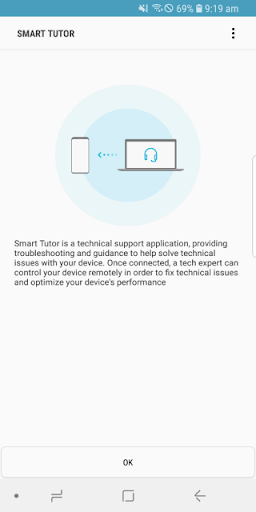
Smart Tutor for SAMSUNG Mobile lets a support expert examine a compatible device remotely to help with feature questions, display problems, software updates and general device status. It suits Samsung users who need guided troubleshooting rather than a self-service repair or general-purpose maintenance tool. The developer is Samsung Electronics Co., Ltd.
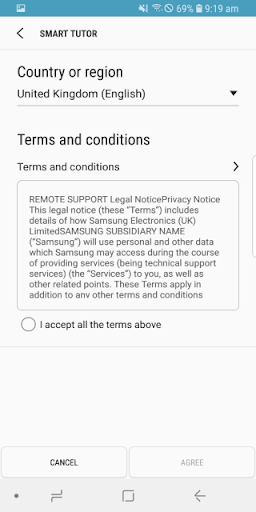
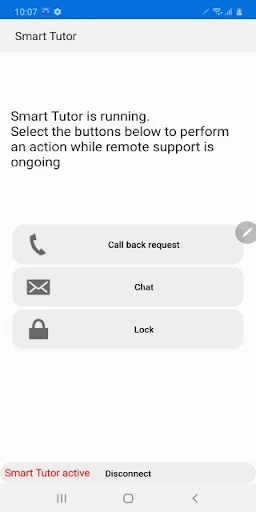
You contact a Samsung support centre and, after agreeing to its terms, receive a six-digit connection code from a support expert. Entering the code connects the device for diagnosis. The app supports screen sharing and chat, and includes screen-lock and application-lock features. You can end a session using its Disconnect option.
Remote diagnosis means sharing a view of your device with another person. The app’s description says special features restrict access to private areas such as Gallery, Messages and email; that is a stated safeguard, not a reason to treat a live support session as risk-free. Connect only when you have requested help and are comfortable with the session.
Support can use Wi-Fi or mobile data. A 3G or 4G connection may count against your plan or incur charges from your operator, so Wi-Fi is worth checking before you begin. A session also takes time for contacting support, receiving a code and working through the diagnosis. The app is listed as requiring Android 6 or later, and Google Experience devices such as Galaxy Nexus are not supported.
Smart Tutor has more than 100 million installs and a rating of 4.4 out of 5 from about 75,000 ratings. Those figures suggest it is widely used, but they do not tell you whether your particular issue will be resolved. Its main value is access to guided Samsung support; the trade-offs are a remote session, time spent with an expert, and possible mobile-data costs.